
A checklist is not a to-do list, and confusing the two is why so many of them get abandoned. A to-do list helps you remember what to do. A checklist exists for work you already know how to do, and its only job is to stop a known procedure losing a step — which is a different problem, solved by a different document. These fifteen free checklist templates in Word and Excel give you the layouts, and the sections below cover the two forms a checklist can take and the limits that decide whether anyone will actually use it.
- 15Checklist layouts
- Word & ExcelEditable, printable
- 5−9Items is the working limit
- FreeNo sign-up, no email
Checklist, or to-do list?
Worth settling first, because the wrong document makes the job harder rather than easier.
| Use | When | Because |
|---|---|---|
| A checklist — this page | The same procedure happens repeatedly and missing a step has consequences. | It is reused unchanged. The value is in the completeness of a known routine, not in remembering what the routine is. |
| A task list | A set of different things need doing once each. | Every item is new, so there is nothing to standardise. |
| An action plan | One goal needs breaking into steps with owners and dates. | It is a plan for something that has not happened before. |
The practical test: if you would use the same sheet again next week without editing it, you want a checklist. If you would throw it away and write a new one, you want a list.
Free checklist templates
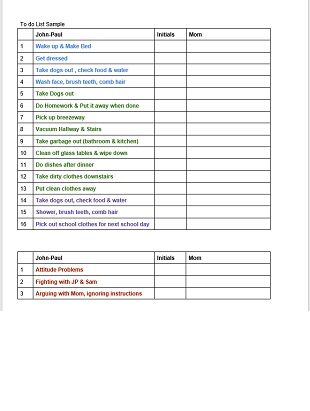
Fifteen layouts in Microsoft Word and Excel. Pick by how it will be used rather than how it looks — a checklist that lives on a clipboard in a workshop needs big tick boxes and few items, while one that gets emailed can carry more detail.




The two kinds of checklist
This distinction comes from Atul Gawande’s The Checklist Manifesto, and it is the most useful idea in the whole subject. Almost every failed checklist is the wrong one of these two.
| Type | How it is used | Right when |
|---|---|---|
| Read-do | You read each item and perform it as you tick it off, like following a recipe. | The order genuinely matters, or the whole effort fails if a step is out of sequence — operating machinery, emergency procedures, anything where improvising is the hazard. |
| Do-confirm | You do the job from memory, then stop at a defined moment and go through the list confirming each item was done. | The work is lower-stakes and a forgotten step can be picked up afterwards, out of sequence. Most office and household checklists are this kind. |
Getting it the wrong way round is what makes people resent checklists. Hand an experienced person a read-do list for work they do daily and you have slowed them down and implied they cannot be trusted; they will stop using it within a fortnight. Conversely, a do-confirm list for an emergency shutdown is useless, because the point of the procedure is that it happens in the right order under pressure, when memory is least reliable.
So decide which you are writing before you write it, and say so on the sheet. “Complete each step in order” and “Check all items before signing off” are different instructions, and a template that says neither will be used both ways by different people.
One place the distinction really matters is emergency and continuity procedures, which are read-do by nature and are usually written by someone who will not be the person following them. If that is what you are drafting, the surrounding plan matters as much as the list — see the business continuity plan templates for the document the checklist should sit inside.
Five to nine items, sixty to ninety seconds
The commonest mistake in a homemade checklist is length, and there are reasonably specific limits.
Aim for five to nine items, a range that corresponds to the limits of short-term memory, and keep any single pause point under ten. And watch the clock: after roughly sixty to ninety seconds a checklist stops helping and becomes a distraction, at which point people begin skipping items — which is worse than having no checklist, because the sheet now says the work was checked when it was not.
That is a tighter constraint than most people expect, and it forces the useful question: which steps are the ones that actually get missed? A checklist is not documentation. It does not need to contain the whole procedure, only the parts that get forgotten, confused or skipped under time pressure. A forty-item list covering every detail of a process is a manual, and nobody runs a manual before a job.
If a procedure genuinely needs more than nine checks, split it across several pause points — defined moments in the workflow where you stop and run a short list. Before starting, before the irreversible step, before signing off: three lists of six beat one list of eighteen, because each one is short enough to be read properly. The same splitting logic is why recurring domestic routines work better as a set of short lists tied to moments in the week than as one long sheet — the home cleaning schedule templates are organised that way, by frequency rather than by room.
Does any of this actually work?
Unusually for an office tool, yes, and there is published evidence rather than assertion.
The best-known study is “A Surgical Safety Checklist to Reduce Morbidity and Mortality in a Global Population”, published in the New England Journal of Medicine in 2009. It followed a 2007 pilot that introduced a short surgical safety checklist at eight hospitals in different cities — Seattle, London, Auckland, Manila, New Delhi and Amman among them. Comparing outcomes before and after its introduction, inpatient complications fell on average from 11% to 7%, and the death rate from 1.5% to 0.8%.
Two things are worth drawing from that rather than simply quoting it. First, the checklist in question was short — a couple of dozen items split across three pause points in an operation, not an exhaustive procedure manual. Second, the gain did not come from telling surgeons how to operate. It came from catching the few things that get missed when competent people are busy: the patient’s name, the site, the allergy, whether everyone in the room had introduced themselves. That is what a good checklist does in any setting, and it is why the item limit above matters more than thoroughness.
It is a before-and-after comparison across eight hospitals rather than a randomised trial, so read it as strong supporting evidence rather than proof, and note that a surgical theatre is a more disciplined environment than most offices. The mechanism, though, travels.
Writing one people will use
-
Start from the failures, not the procedure
Ask what actually went wrong the last five times. Those are your items. Writing the checklist by listing every step of the task produces something far too long and mostly redundant.
-
Choose read-do or do-confirm
Decide which of the two you are writing, and print the instruction at the top. This single line changes how the sheet is used and is almost always missing.
-
Pick the pause point
Name the moment the list is run — before the van leaves, before the machine starts, before the invoice goes out. A checklist with no defined moment gets filled in afterwards from memory, which defeats it entirely.
-
Cut it to nine items
Then cut it again. Anything that has never been missed does not need checking, and anything you could not describe in one line is probably two items pretending to be one.
-
Make each item unambiguous and binary
“Check the vehicle” is not an item. “Tyre pressures checked” is. Each line should be answerable yes or no by one person in a few seconds, with no judgement about what counts as done.
-
Test it on the job, then version it
Run it live a few times and expect to change it — checklists are nearly always wrong first time. Put a version number and date on the sheet, because once a checklist is in use you need to know which one someone was following.
After that, the discipline is leaving it alone. A checklist that is edited every month never becomes automatic, and the whole value lies in it being the same every time. Review it when something gets missed or the procedure changes, not because it feels due.
Questions about checklists
How many items should a checklist have?
Five to nine, which matches the limits of short-term memory, and under ten at any single pause point. If the procedure needs more, split it across two or three pause points rather than extending one list. The time limit is the other half of the rule: past roughly sixty to ninety seconds a checklist becomes a distraction and people start skipping items.
What is the difference between a checklist and a to-do list?
A to-do list is a set of different tasks, each done once, then discarded. A checklist is a fixed set of checks on a procedure you repeat, reused unchanged. The test is whether you would use the same sheet again next week without editing it. Mixing them produces a list that is too long to be a checklist and too rigid to be a to-do list.
Should the checklist be signed?
If it matters that it was done, yes — a name and a date, by the person who ran it rather than the person who supervised. Be aware of what that changes, though: a signed checklist is a record, and it will be looked at if something goes wrong. That is an argument for keeping the items genuinely checkable rather than aspirational, since nobody should be signing for “ensured quality”.
Why do people stop using checklists?
Usually one of three reasons: it is too long to run in the time available, it is the wrong type for the work — a read-do list for routine tasks reads as a lack of trust — or it contains items that have never once been a problem, which teaches everybody the sheet is theatre. All three are fixed by cutting it down and naming the moment it is used.
Can a checklist be used for packing or moving?
Yes, and that is a good fit, because packing is a known procedure where the cost of a missed item is high and discovered too late. It is really a one-off read-do list rather than a repeated check, so a purpose-built sheet works better than a generic one — the moving packing list is organised by room, which is how the job is actually done.
Paper or an app?
Paper wins where the checklist is run at a physical pause point — a vehicle, a kitchen, a loading bay — because it is visible, needs no unlocking and cannot be skipped by scrolling. Apps win for anything needing a timestamped audit trail, a shared record across shifts, or recurring reminders. If a paper sheet is being transcribed into a system afterwards, that transcription step is where errors enter, so pick one and stay with it.
Can I edit these templates?
Yes — they are free Word and Excel files, editable and printable. Two additions are worth making to any of them: a line at the top saying whether to complete the items in order or confirm them afterwards, and a version number with a date at the foot. Both take seconds and both are what separate a checklist in use from a sheet somebody printed once.




Pingback: Grocery List Templates and How to Shop From One
Pingback: Monthly To Do List Templates and What Belongs on One
Pingback: Event Plan Templates, Plus the Space and Headcount Arithmetic
Pingback: Articles of Incorporation Templates and What They Actually Contain
Pingback: Commercial Invoice Templates and What Customs Needs on Them
Comments are closed.